Insight and impact, not cleaning theater.
Seven views with one job: show where the space is, what is safe to remove, and how much space you really get back.
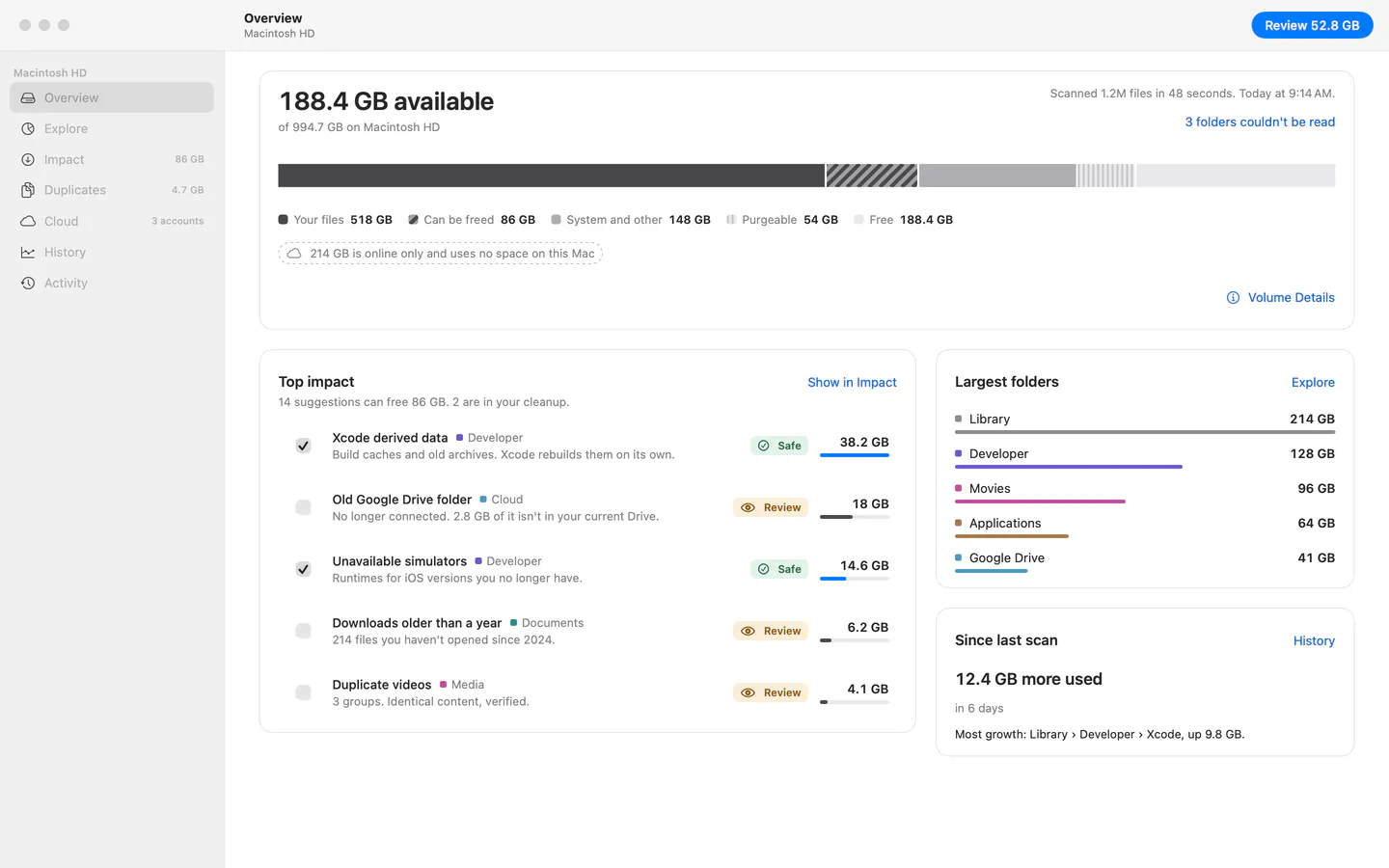
The five second answer.
How full the disk is, what is purgeable, what is online only, and which cleanups matter most. Calm, even when the disk is full.
- Your files, system data, purgeable and free, told apart
- Useful seconds into a scan; numbers fill in live
- What changed since the last scan

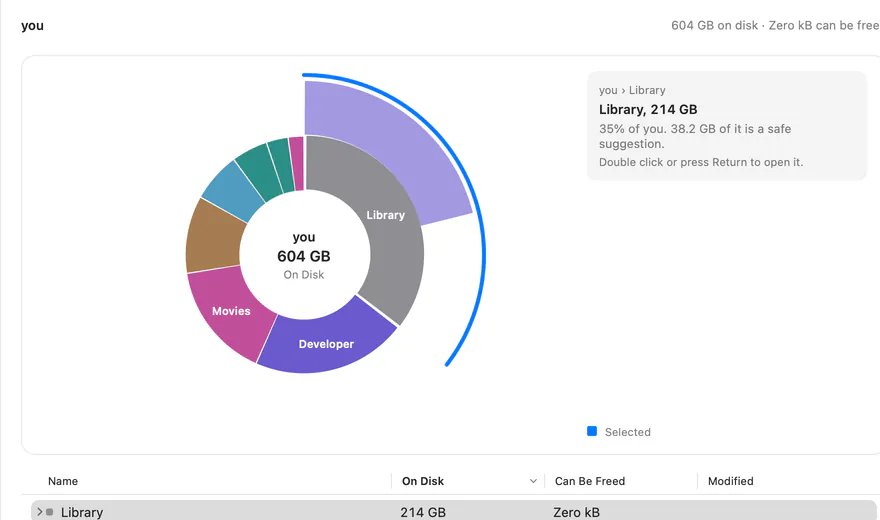
Every folder, drawn to scale.
A sunburst for drilling down, a treemap for spotting big files, and a sortable list for precision. All three share one selection.
- On disk, can be freed, or logical size
- Clones, hard links and packages explained
- Quick Look, Reveal in Finder, drag to Finder
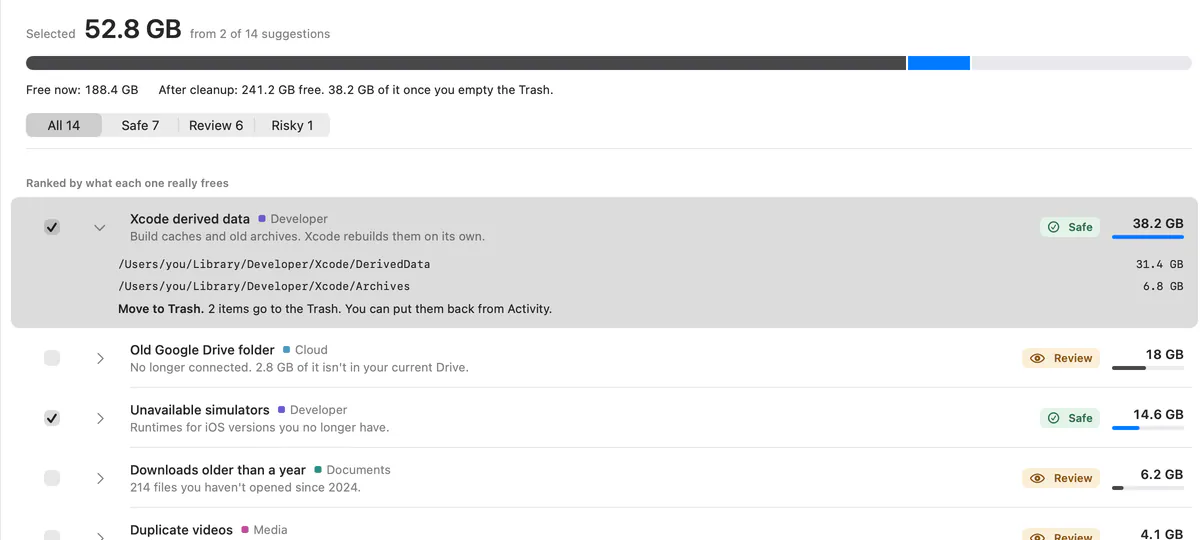
Ranked by the space you get back.
Every suggestion has a plain reason, a safety level and the space it truly frees. Expand a row to see the exact paths.
- Safe, review and risky, always with a word and a symbol
- Running total and the free space you end up with
- Review and risky items are never preselected
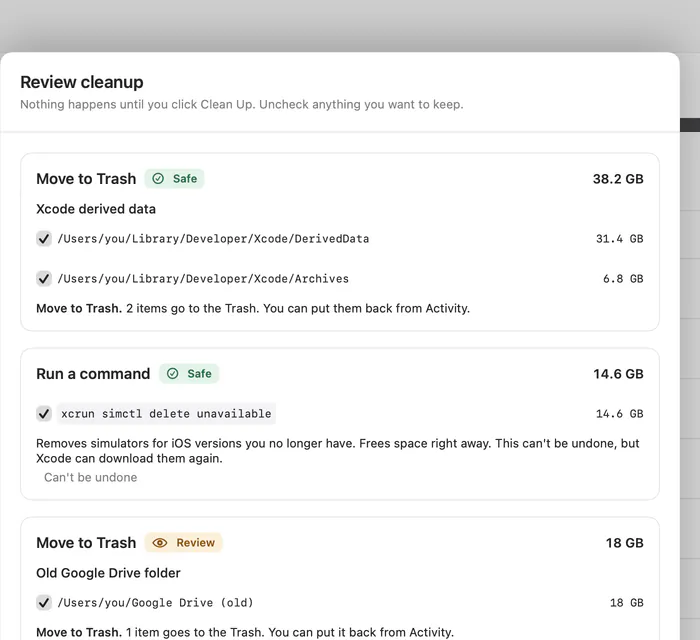
A dry run before anything moves.
The review sheet lists what each action does, item by item. Risky items need an explicit check. Commands are shown word for word.
- Freed now and moved to the Trash, counted apart
- Confirmation in proportion to risk
- Anything that can't be undone is named first
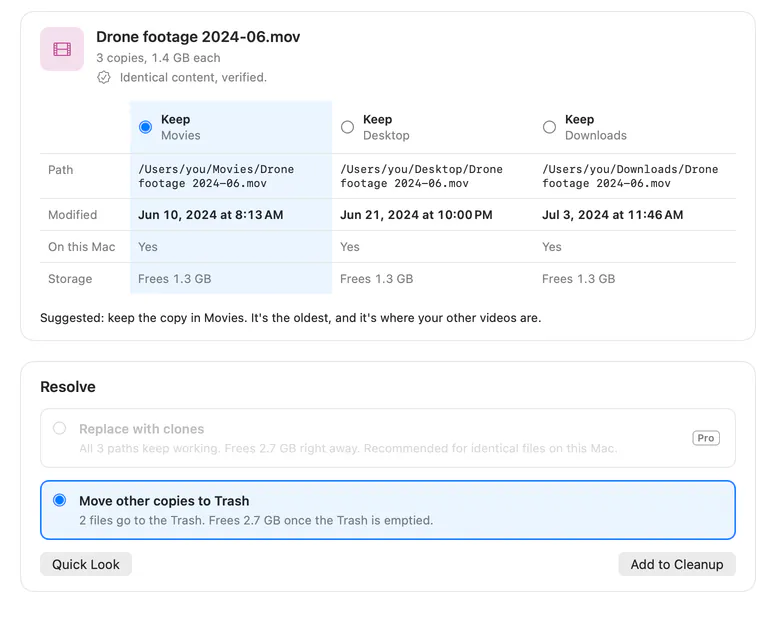
Keep every path. Free the space.
Compare copies side by side and keep the right one, one group at a time. Replace the rest with APFS clones, so every path keeps working. Part of Pro
- Identical content verified, not guessed from names
- Cloud copies flagged when only name and size match
- Copies already sharing storage are recognized
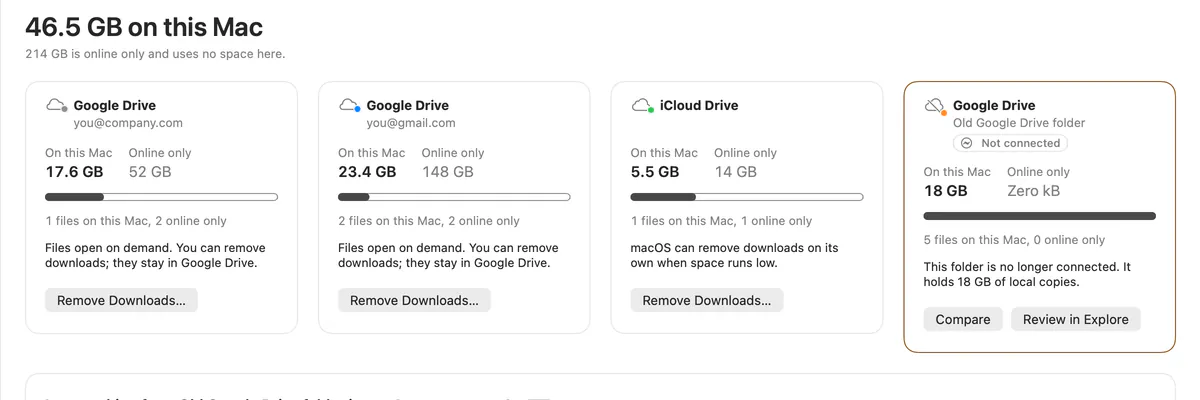
Two Google Drives, finally told apart.
See what each account keeps on this Mac, remove local downloads where the service keeps files on demand, and check whether an old account made it into the new one.
- Google Drive, OneDrive, Dropbox, iCloud Drive, Nextcloud, Box
- Leftover folders from disconnected accounts
- Account comparison and removing downloads in bulk Part of Pro
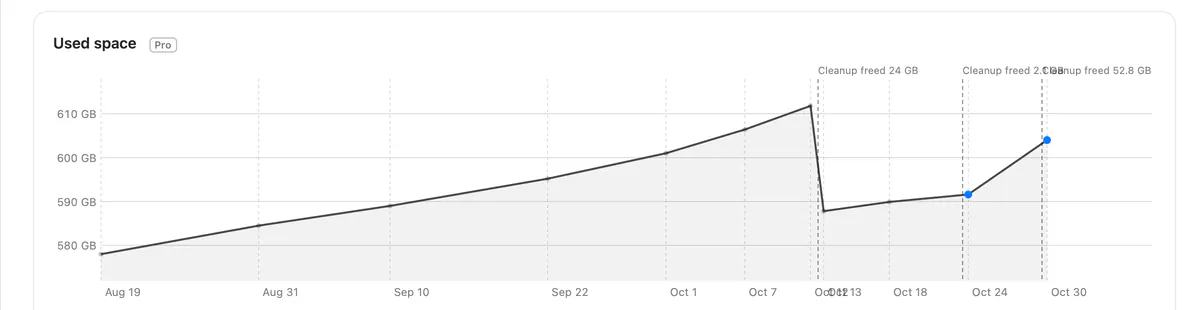
What grew since last week?
Every scan is kept as a snapshot. Pick any two and see which folders grew or shrank, with cleanups marked on the timeline. Part of Pro
- Growth and shrink side by side
- Click through to the folder in Explore
- Cleanups shown in context
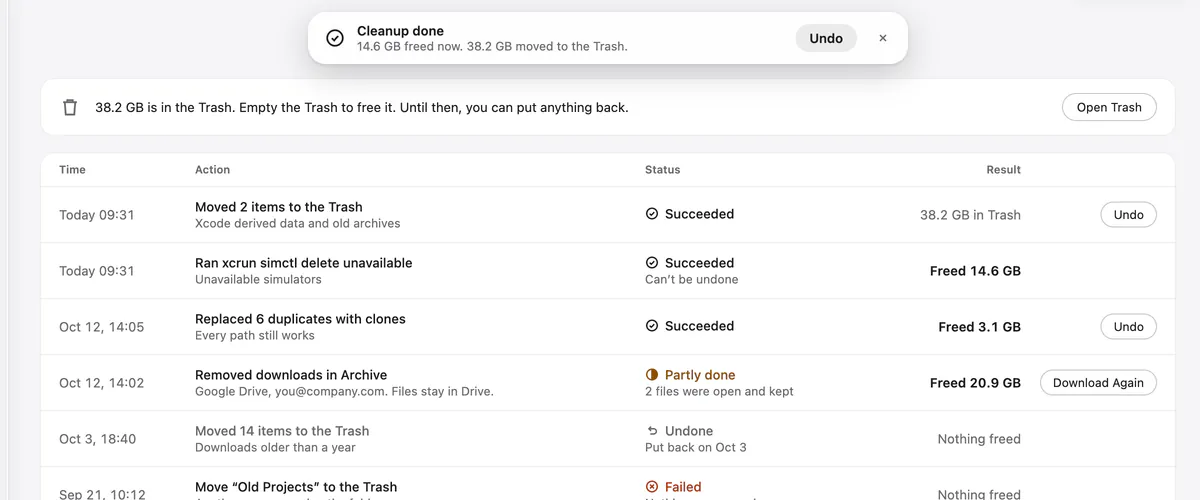
Every cleanup logged. Undo when you need it.
Activity logs every cleanup: when it ran, what it did and how much space it freed. Undo puts items back where they were, as long as they are still in the Trash.
- Undo right after a cleanup, or later from the log
- Freed now and moved to the Trash, counted apart
- Actions that can't be undone say so before they run
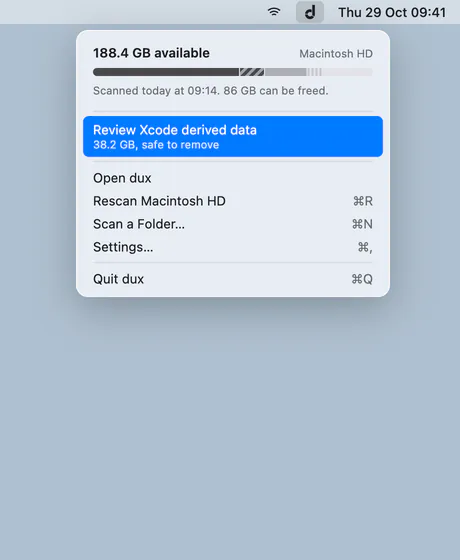
Free space, one glance away.
An optional menu bar extra with free space, the last scan and the best suggestion. Off until you turn it on. Part of Pro
Made for the Mac, the way Apple would.
- Liquid Glass
- Native SwiftUI on macOS 26 and 27, the classic look on macOS 15.
- Light and Dark
- Designed for both, with Increase Contrast and Reduce Motion.
- Keyboard first
- Menu commands and shortcuts for the main actions.
- VoiceOver
- Every chart has a list equivalent and real labels.
- Trackpad ready
- Pinch to drill in or go up, secondary click for menus.
- 11 languages
- From Dutch to Turkish, with Apple’s own terms.